


Intermediate
|
1 hour 32 min
|
01:01
|
|
02:07
|
|
06:55
|
|
03:37
|
|
15:39
|
|
10:52
|
|
13:55
|
|
19:56
|
|
16:07
|
|
02:35
|

Taught by David Tenorio
Start Free Trial or
Buy For $29.95
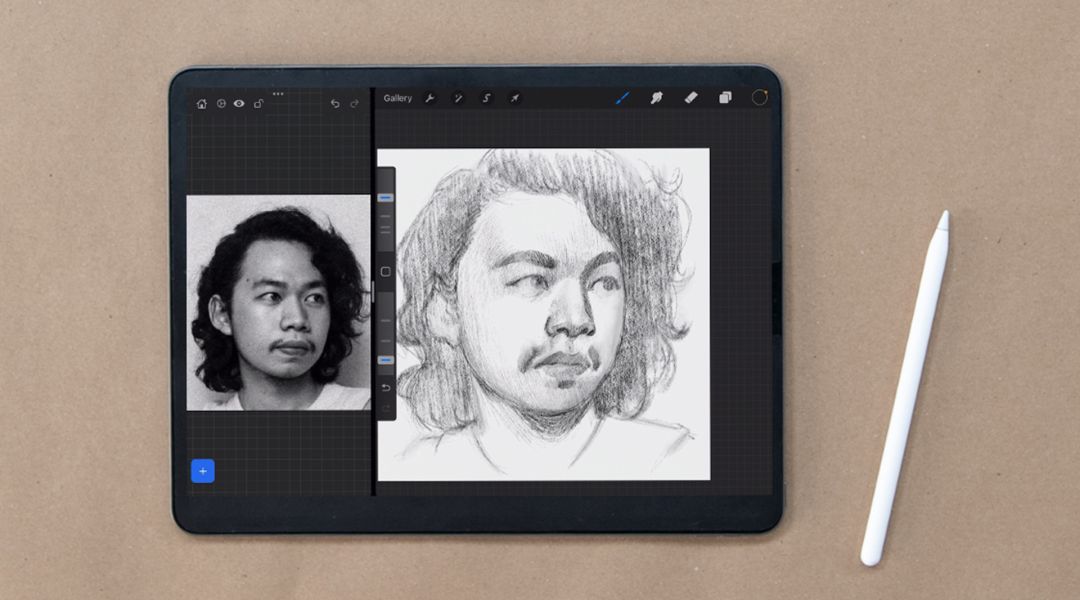
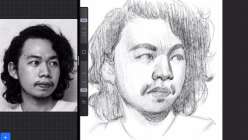
From creating underdrawings to rendering fine details, this class provides a thorough exploration of digital portrait drawing in Procreate. Illustrator and art instructor David Tenorio offers a comprehensive learning experience for both beginner and advanced artists utilizing observational skills to build shape and texture through digital push and pull. With an iPad and Apple Pencil, explore the theory of drawing applied digitally and learn basic tools and workflow techniques such as layers and layer modes. See how adopting a practice of making many small decisions engages the viewer and results in a well-rounded portrait that beautifully captures a likeness.
Here’s what you’ll need:
- iPad (requires iPadOS 15.4.1 or later)
- Compatible Apple Pencil
- Procreate downloaded from App Store ($9.99) Version 5.3.1 is most recent at time of recording
- Optional: Procreate brushes from sadielewski.gumroad.com
- Optional: Vizref (reference picture app)
- If needed, find Procreate FAQs here: https://procreate.com/faq
Downloads:
- Employ foundational techniques such as ball and jaw, shading, and focal point
- Employ advanced techniques such as planes, highlights, breaking the frame
- Use your tablet for your reference photo and canvas
- Compare your images using proportional tips
- Create the texture of hair
- Achieve an 80% zone of perfection
Member Gallery
Browse members' projects from this class and share your own work! Learn how to take great photos here.
Load More
Transcript
Class PDF
Digital Drawing in Procreate Reviews
5 users recommended this class to a friend

Mildred M. Lopez-Martinez
Wow! This tutorial is excellent. Once again I must save yet another one of Mr. Tenorio's courses because he is an excellent teacher and artist (not necessarily in that order.) I bought an iPad early last year with the pen and eventually downloaded Procreate. I followed a YouTube tutorial which was OK, but I was left feeling overwhelmed and never picked it up again. Not so now. I just listened to the course, but I cannot wait to follow it again with my ipad and apple pen. I highly recommend this course, but I am an "old" artist myself and I draw quite similarly to the teacher, but only with graphite, paper and kneaded eraser. Thank you David.
More than 3 months ago

Kristina Austin
It was really helpful.
More than 3 months ago
Related Classes