


All levels
|
7 min 52 sec
|
00:33
|
|
07:19
|

Taught by Lauren Marcinek
Start Free Trial or
Buy For $9.95
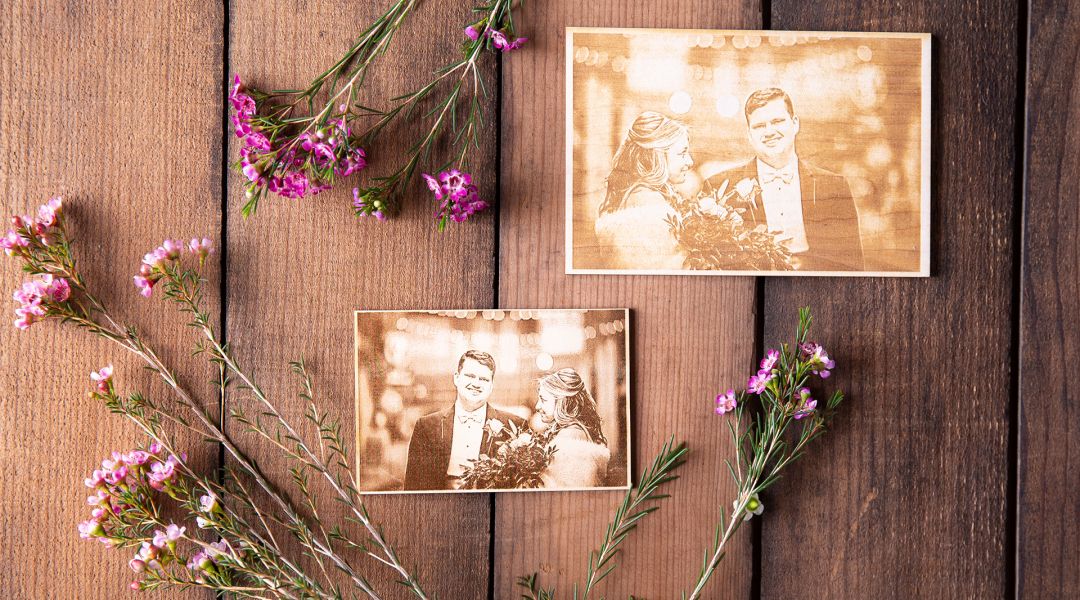
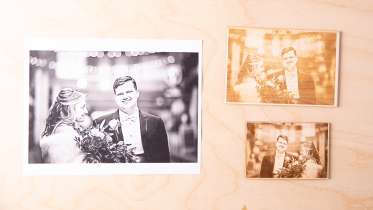
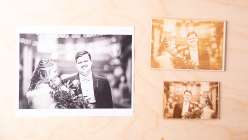
Learn how to engrave your favorite photo memories onto wood with this easy and impressive Glowforge class. Lauren Marcinek from the Creativebug team guides you through choosing the best photo for engraving, uploading your file to the machine, and adjusting the settings for laser engraving. The Glowforge does the hard work for you -- all you need is a piece of wood to start making beautiful mementos for your friends and family.
Learn how to:
What you'll get:
Here’s what you’ll need:
- Glowforge - Lauren is using the Glowforge Pro, but the basics are the same for any model
- Laptop or desktop computer
- Glowforge Proofgrade Medium Maple Hardwood
- Photo with a lot of contrast
Downloads:
- Choose the best photo to engrave
- Upload an image to the Glowforge
- Engrave and cut wood
What you'll get:
- An easy-to-follow video lesson on how to use the Glowforge to engrave a photo onto wood
- 2 HD video lessons you can access online anytime, anywhere
- Detailed supply list
- Step-by-step instructions by Creativebug instructor Lauren Marcinek
- The ability to leave comments, ask questions and interact with other students
Member Gallery
Browse members' projects from this class and share your own work! Learn how to take great photos here.
Load More
Transcript
Class PDF
Glowforge Projects: Engrave a Photo Reviews
118 users recommended this class to a friend

Carrie Fionda
Very informative and thorough
More than 3 months ago
Nicolette Kudaka
Not for a beginner
More than 3 months ago
Catherine Lloyd
I've never known about this, so it was a good intro.
More than 3 months ago
Related Classes